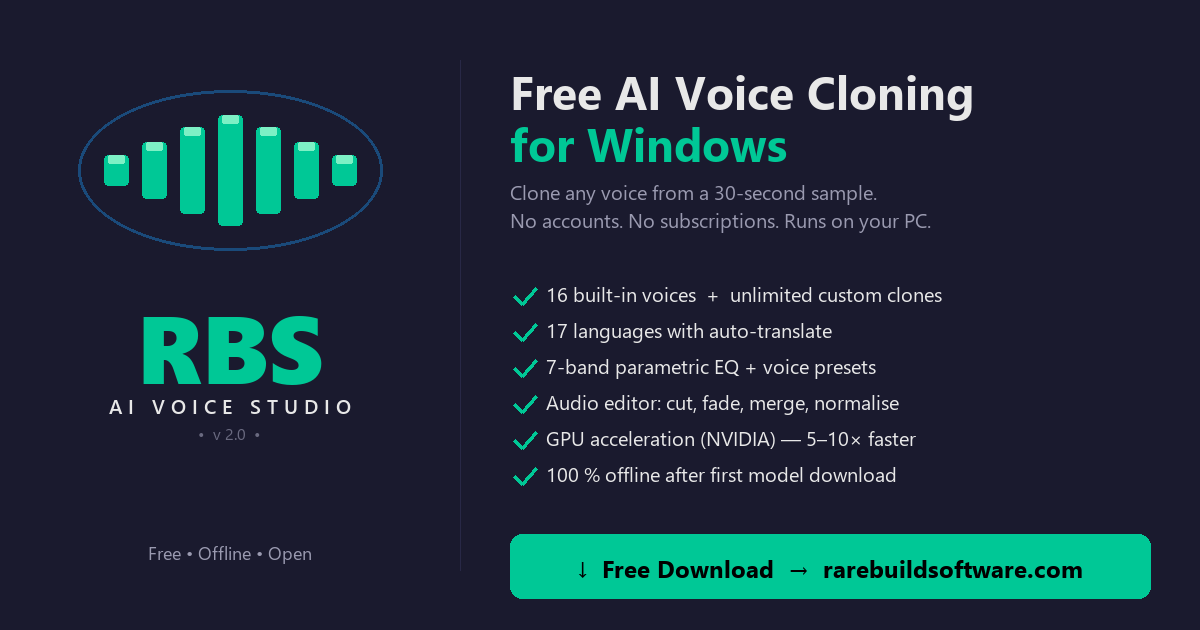
Today I'm shipping RBS Voice Cloner V2 — the biggest update to the free AI voice cloner since v1.0. New name, new EQ-bar logo, and a redesigned app underneath. Still 100% free, still runs locally on your PC after the one-time model download.
16 built-in voices — start without a sample
The most-requested change. V1 needed an audio sample before you could generate anything. V2 ships with 16 ready-to-use voices so you can open the app, pick a voice, type some text, and click Generate — done.
- Male: Damien, Royston, Filip, Aaron, Craig, Viktor
- Female: Ana, Daisy, Sofia, Tammie, Brenda, Claribel
- Boy: Andrew, Xavier
- Girl: Gracie, Lilya
You can still clone any voice from a 30-second sample (the new recommended length — V1 said 5s, but 15–30s gives noticeably better cloning) and save unlimited custom profiles. Export profiles as .rbsvoice files to share or back up.
7-band parametric equaliser — finally tuned for voice
Generic music EQs are wrong for voice — bands at the wrong frequencies, no presets that match how speech sits in a mix. V2 has a proper voice EQ:
- Sub — 60 Hz (cut to remove rumble)
- Bass — 200 Hz (warmth)
- Low Mid — 500 Hz (body)
- Mid — 1.5 kHz (intelligibility)
- Hi Mid — 3.5 kHz (presence)
- Presence — 8 kHz (clarity)
- Air — 12 kHz (sparkle)
Plus 6 presets — Voice — Natural (light cleanup, default), Warm, Bright, Podcast, Phone, Flat. Pick a preset to fill the sliders, click Apply EQ. Reset reverts both the audio and the sliders.
The full guide: 7-band parametric EQ for voice — which preset to pick.
Built-in translator — 17 languages, no API key
Type your text in English (or any of the 17 languages), pick the target language on the TTS page, click Translate →. The text is translated and ready to generate. Uses Google Translate under the hood (no API key needed; needs internet on first translate, then cached).
Supported languages: English, Spanish, French, German, Italian, Portuguese, Polish, Turkish, Russian, Dutch, Czech, Arabic, Chinese (Simplified), Japanese, Hungarian, Korean, Hindi.
Redesigned Audio Editor
The editor was a weakness in V1 — basic waveform, manual time entries, no live feedback. V2 is a real editor:
- Hero waveform with time labels along the bottom (0s, 1s, 2s …) and inline transport (Open / Play / Stop / Undo / Redo).
- Live cursor while playing — vertical bar slides across the wave, time readout (▶ 1.23s / 4.08s) updates in accent green.
- Drag-to-select — yellow highlight + selection pill ("Selection: 1.22s → 2.85s (1.63s)"). Selection auto-fills the Trim entries.
- Right-click menu on the selection — Cut / Delete / Crop / Copy / Clear. Or use the keyboard: Ctrl+X / Ctrl+C / Del / Ctrl+Shift+X / Esc / Ctrl+Z·Y.
- Tabbed effects — Quick (Normalise, Remove Noise, Reverse, Auto-Trim) · Adjust (Volume, Speed, Pitch, Echo) · Trim & Fade · Equaliser.
CUDA 12.8 runtime — works with any modern NVIDIA driver
V1 was fragile about CUDA versions — many users had GPU issues. V2 ships with PyTorch built against the CUDA 12.8 runtime, which works with any CUDA 12.x or 13.x driver (581.x and newer tested). The new Diagnose page (Ctrl+D) tells you exactly what mode you're in:
- ⚡ USING GPU — generation runs on your CUDA GPU (5–10× faster).
- ⚠ USING CPU (GPU detected) — GPU is present but PyTorch is in CPU mode. Reinstall the GPU edition or change Compute Device in Settings.
- ● USING CPU — no CUDA GPU detected. Generation works but is slower.
The Diagnose page also lists per-package version + working/missing checks. Send a screenshot of this page when reporting issues.
New brand: RBS Voice Cloner V2
The new logo is an EQ-bars visual inside a circle — matches what the app actually does (audio + EQ) instead of a generic microphone. The name change to "Voice Cloner V2" reflects that V2 is more than just a cloner — it's a full voice production app with built-in editing, EQ, and translation.
V1 is still available
If you don't have an NVIDIA GPU and just need basic cloning, V1 is still on the site (~248 MB, much smaller download). For everyone else, V2 is the recommended version. They install to separate folders so you can run both side-by-side.
Full comparison: RBS Voice Cloner V1 vs V2 — which should you download?
System requirements
- Windows 10 or Windows 11 (64-bit)
- 8 GB RAM minimum (16 GB recommended)
- 10 GB free disk space (for models + generated audio)
- NVIDIA GPU with CUDA recommended (RTX 3060 or better) — CPU fallback supported
- Internet connection on first launch (downloads XTTS v2 model ~2 GB)
Verify your download
The Download page shows the SHA-256 hash and a VirusTotal scan link for every release. Compare the SHA-256 of your downloaded ZIP to the one on the site — if it matches, the file is byte-for-byte identical to what was published.
Download RBS Voice Cloner V2 — Free
Windows 10/11 · ~2.0 GB · 100% free, no subscription
⬇ Download Free