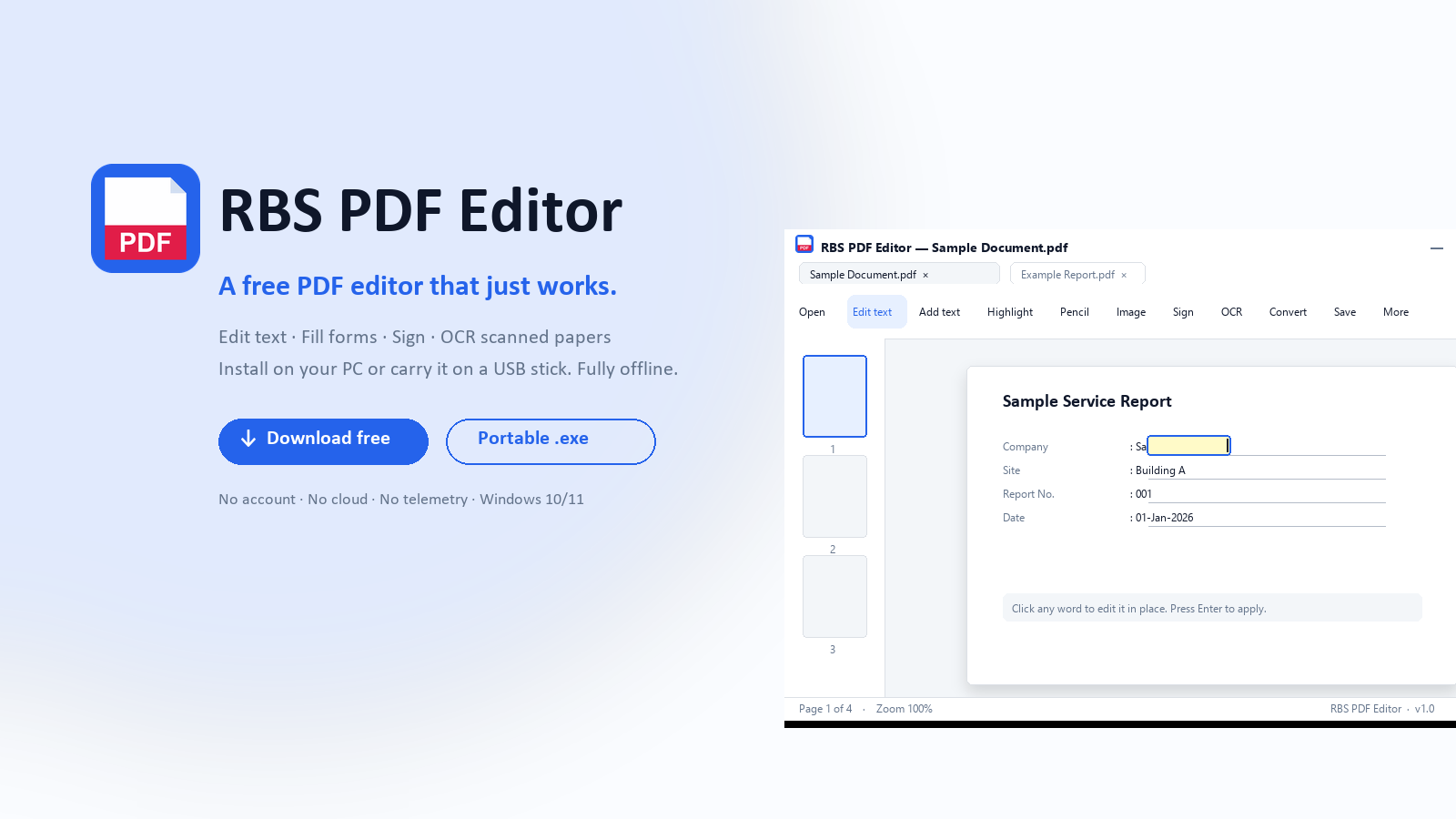
I built a PDF editor I'd actually use.
Every "free" PDF editor I tried over the last year did one of three things: nagged me to upgrade every fifth click, dragged my files through somebody else's cloud, or quietly slapped a watermark on the result. Sejda caps the free plan at 200 KB and three tasks per hour. Smallpdf wants a login. PDFescape pushes a $36 / year subscription the moment you try to edit a real document. Adobe Acrobat costs $20 a month and $240 a year. iLovePDF and PDF24 both upload your files to their servers — fine for a meme, not fine for a contract.
I got tired of it. So this week I shipped RBS PDF Editor 1.0 — a free Windows PDF editor that lives on your machine, doesn't ask for an email address, doesn't charge a subscription, doesn't watermark anything, and ships in a portable USB build so you can carry your whole setup on a thumb drive.
Two builds, one zip file, both free:
- Installer —
RBSPDFEditor_Setup.exe. Run once on your PC, registers file associations so double-clicking a PDF in Explorer opens it here. - Portable —
RBSPDFEditor_Portable.exe. No install, no admin rights. Drop it on a USB stick, double-click on any Windows 10 or Windows 11 PC, and it works. Your settings, recent files and signature live in a folder next to the .exe — copy that folder along with the file and your whole setup travels with you.
📄 Download RBS PDF Editor — Free (216 MB ZIP)
Installer + Portable both inside · Windows 10 / 11 · No account · No watermark
What it actually does
1. Edit text in place
Click any word on the PDF. The text becomes editable right where it sits — same font, same size, same weight. No copy-paste dance, no exporting to Word and back. The cell-detection logic figures out when you're editing inside a table cell or a column with no real borders, so editing "09:15" in a server log doesn't drag the whole row sideways.
2. Place images freeform
Drop in a picture, drag the corner and edge handles to resize, rotate, or snap to page width. Lock the aspect ratio if you don't want to squash it. Click the image later and the handles come back — adjust, rotate, delete. Small images (QR codes, stamps) get a floating toolbar that drops to the side that has room instead of covering the image.
3. OCR scanned PDFs — fully offline
Scanned PDFs are just images. Windows can't search them. RBS PDF Editor runs Tesseract OCR locally — first use offers to download Tesseract (~80 MB) and after that everything runs offline. Make a scan searchable, then edit the words like any normal PDF. The editor also detects stacked OCR layers (someone ran OCR twice on the same scan) and cleans up the "Regarding Regarding" doubling problem nobody else fixes.
4. One-click signature
Draw your signature once with the mouse. After that, drop it on any document with one click. Stored only on your machine — never uploaded, never synced.
5. Tabs, not windows
Open multiple PDFs in browser-style tabs. Double-clicking a second PDF in Explorer adds a tab to the running app instead of opening a new window. Same model as Edge or Chrome.
6. Convert to other formats
PDF to Word (.docx), PDF to Excel (.xlsx — pulls out tables), PDF to JPG, PDF to PNG, plus a Compress PDF action that shrinks file size without obvious quality loss.
7. Page management
Merge multiple PDFs into one, split a big PDF into parts, rotate pages, auto-crop margins, reorder by dragging thumbnails, add page numbers, add Bates numbering (the legal industry's standard for discovery), password-protect with read / print / copy permissions, add watermarks, add hyperlinks.
What it doesn't do
- Send anything to the cloud.
- Make you sign up.
- Watch what you click.
- Show ads.
- Ask for a subscription.
- Add a watermark to anything.
The only network call the app ever makes is the one-time Tesseract installer download, and only if you choose to OCR something. Everything else — every edit, every save, every signature — happens on your computer.
How it compares to the popular alternatives
Honest comparison, no spin:
| App | Price | Watermark | Cloud upload | Portable |
|---|---|---|---|---|
| RBS PDF Editor | Free | No | Never | Yes |
| Adobe Acrobat Pro | $20/mo | No | Yes (Document Cloud) | No |
| Foxit PDF Editor | $13/mo | Yes (free tier) | Yes | No |
| Sejda | Free up to 200 KB / 3 tasks per hour | No | Yes | No |
| Smallpdf | $12/mo for unlimited | No (paid) | Yes (every file) | No |
| iLovePDF | $7/mo | No (paid) | Yes (every file) | No |
| PDFescape | $36/yr Premium | Free tier limited | Yes | No |
| Nitro PDF Pro | $179 one-time | No | Optional | No |
The pitch is simple: if you've been looking for an Adobe Acrobat alternative, a Sejda alternative, a Foxit alternative, or just any free PDF editor for Windows 10 or Windows 11 that doesn't try to sell you something every five clicks — try this one.
Who it's for
- People who fill PDF forms once a week and resent paying $20 a month for it.
- Anyone with sensitive documents — contracts, tax returns, medical records — who doesn't want them on someone else's server.
- Paralegals and small law firms who need Bates numbering without buying a $400 specialist tool.
- Accountants and bookkeepers who need to extract tables from scanned statements.
- IT folks at organisations that lock down installs — the portable .exe runs without admin rights.
- Anyone who works on multiple PCs — keep the .exe and settings folder on a USB stick and your editor follows you.
Built on open source
RBS PDF Editor stands on the shoulders of Python, PyMuPDF, customtkinter, Pillow, Tesseract OCR, pikepdf, pdfplumber, pdf2docx, fpdf2, NumPy, pywin32, plyer, pystray, tkinterdnd2, PyInstaller, and Inno Setup. Big thanks to every maintainer of every one of those projects — none of this happens without them. Full credits live inside the app under More → About.
Download it
One ZIP, both builds, both free.
📄 Download RBS PDF Editor — 216 MB ZIP
Windows 10 / 11 · 64-bit · Installer + Portable inside · v1.0.0 · Build 20260514-1204
Or read the full product page: RBS PDF Editor — features, screenshots, system requirements.
If it saves you time and you can spare a coffee, a small donation keeps the lights on — but it's never required. The app stays free either way.
Built solo by Rai at RBS — Rare Build Software. Singapore. Reach me through the contact page if something breaks or if there's a feature you wish it had.